Welcome!

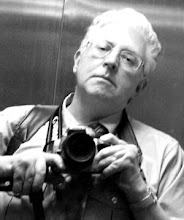
Welcome to Phil Mansell's Paperblog Writer Blog.
Showing posts with label writing. Show all posts

Tuesday, 25 March 2014

Using Scrivener to write a successful stage play

On a previous post http://paperblog-writer.blogspot.co.uk/2013/06/play-writing-value-of-group-readings.htmlI wrote about how useful a group reading was for my stage play ‘According to Claudia'. Recently, I was very pleased and proud that the play has been selected by the Artistic Committee of Newport Playgoers to open their new season at the 400-seat Dolman Theatre in Newport this coming September.

This represents a great personal achievement for me – especially as other plays in the season are by such renowned writers as Noel Coward, Somerset Maugham, Ira Levin and Richard Curtis. Illustrious company to be in!

I owe my success in no small part to the marvellous writing program Scrivener – and let me say from the start that I am not connected in any way with the company that makes it. I’m just a big fan as you'll see from this previous blog of mine: http://paperblog-writer.blogspot.co.uk/2013/06/play-writing-value-of-group-readings.html

Since I purchased Scrivener some time ago I have found it extremely useful for all my writing, from novels to TV sitcoms.  It’s so much more than a word processor. It has various formats for all kinds of writing, a databank where you can easily store and access all sorts of reference material from photos to character sketches – and a very useful autofill function which saves you the laborious task of filling in characters’ name every time they speak.

When writing ‘According to Claudia’ I started by using the corkboard to plot the play and create a profile of each character. From there I was able to flesh out each scene in detail and then get down to the nitty gritty of writing. If I wanted to change a scene Scrivener has a useful ‘snapshot’ function which meant I could take a snap of my original scene and then revise it, knowing the first version was not lost.

When I was satisfied with the final draft I exported the play as a PDF, making it easy to circulate to potential publishers and other interested parties. Previously, I have blogged about the beauty of Scrivener – and how ‘According to Claudia’ benefitted from a group reading which enabled me to hone it to perfection. The result is that it is now being produced on stage.

I’ll be writing regular updates about the progress of ‘Claudia’ from page to stage. If you're a writer or anyone involved in theatre I hope you'll follow them and find them entertaining and useful.

You can download free trial of Scrivener here:  http://www.literatureandlatte.com/scrivener.php


Tuesday, 4 June 2013

Play-writing: the Value of Group Readings

To all script-writers who are wondering what to do next or questioning the value of a group reading, my advice is to go for it.

When I completed my latest stage play ‘According To Claudia’ to the satisfaction of my wife, Caroline, who acts as my editor and harshest critic, the time came to test drive it with a group reading.

I approached seven of the best actors in Newport Playgoers and to my relief they agreed to do it. Then terror set in. Showing your work to people who have performed in some of the best plays ever written is a big gamble. What would they think of it?  Was it good enough?
A group reading of your script can be invaluable
So, I was very nervous when they turned up at our house for the reading. Luckily, Caroline had prepared a range of delicious canapés and other tasty bites to ensure the evening was a success. After assigning parts, the reading began. It was a slow start as the actors found their way but it was soon moving at a cracking pace, with lots of laughter and “Oohs” and “Aahs” from the cast.

At the end, there was much debate about the play and plenty of positive feedback. Two of the most useful comments were:

 “What happened to my character? She just sort of faded away in the second act.”

“The main character is very strong and quite nasty – but you must give her one redeeming feature.”

There were also several suggestions about the characters’ relationships and how they could be developed. All in all, very useful – and it gave me lots of food for thought. So, copious notes were made and I’m now re-writing like mad. Next thing: another reading, and if that goes well a rehearsed reading in front of an audience in the Dolman Studio Theatre.

So, my advice is: have faith in your work. Don’t rely on the opinion of friends and family – they’re going to say it’s great as they probably won’t want to upset you. Put it to the test. Get some local actors round a table and give it a trial run. You’ll learn a lot about what you’re doing right – and where you’re going wrong!


Friday, 22 June 2012

The beauty of Scrivener


After using it for a trial period, I’ve taken the plunge and purchased Scrivener – a great tool for writers that makes Word seem a redundant way of creating everything from novels and academic dissertations to plays and scripts.

I first used it to write a stage play and quickly discovered there are a number of different templates depending on what sort of writing you’re doing. 
When you start a new project the menu offers a variety of formats for stage, film and radio plays as well as novels and short stories. It’s easy to create your own templates too so you write exactly the way you want to write. 


Like other script-writing software, Scrivener remembers your characters’ names so you don’t have to type them in each time. Simple keyboard shortcuts enable you to go into capitals or change where you type on the page depending on whether you’re adding stage directions, action, characters or dialogue.

Fair enough. But where Scrivener scores top marks is in its ability to store everything you need for the project you’re working on in one place and put it all just a mouse click away. I found the enormous benefits of this when I recently re-discovered a book I was writing about my childhood in the back streets of Birmingham. I had abandoned the project because I had tons of information – photos, records, artwork, scraps of unfinished writing - scattered everywhere and it was proving more than a little unmanageable.
Everything can be added to reference folders.
Here's some of my artwork that I may include in the finished book.
Using Scrivener I am able to bring it all together and organise everything to make it totally accessible. Scrivener has two main panes – a binder on the left containing folders and text files and the main writing screen which doubles as a corkboard to show you the contents of each folder.  You can also add an information window on the right for keeping notes.
The corkboard  provides a useful overview of chapters,
characters, settings and scenes

It was easy importing my draft chapters and putting them into a folder. Then it was just a case of creating folders for all my research material – photos, maps, screengrabs images and webpages could just be dragged and dropped where I needed them.

 I was able to view each folder as an index card in corkboard mode – so draft chapters could be moved around into the order I wanted. This is also useful when planning plotlines for a novel or script, or creating characters or settings.

Photos and other images can be viewed in groups or individually. 

By splitting the screen I am able to view my research material as I write. So I can look at mind maps I have created around various topics and expand on these to create new sections of the book. The beauty of it is I am able to write as many documents as I like, then re-arrange them to make a chapter.
Scrivener also backs up my work automatically so I don’t have to worry about losing anything. There’s a snapshot feature too which keeps a copy of a draft that I can refer back to if things go haywire and I need a quick look at an earlier version.
When I finally finish my book – and it won’t be anytime soon, I can tell you because memories spark more memories – I can export my finished work to Word, or better still use the Compile feature which enables me to use one of the templates for exporting to eBook or Kindle.

Scrivener has loads more features – and it’s available for Mac or Windows as a 30 day free trial. Just click on the link below. I should add that I am in no way associated with the makers of Scrivener – just a keen fan of their product. It's a writing tool designed by writers for writers.

Download free trial of Scrivener here: http://www.literatureandlatte.com/scrivener.php


Write here, write now. Scrivener.

.